
Create Routines in Lusha
Routines help a child understand what is expected, when the action should start, and what happens next. For a child with ADHD, this predictability can reduce the organization load, limit repeated negotiation, and make transitions easier to support.
In Lusha, a routine connects a real-life action to progress in the game. The parent chooses a routine, adapts it if needed, defines its duration, frequency, and rewards, then places it in the child’s agenda.
Why routines matter
Section titled “Why routines matter”ADHD can make it harder to start a task, stay focused, manage time, and move from one activity to another. A well-written routine helps because it turns a general expectation into concrete steps.
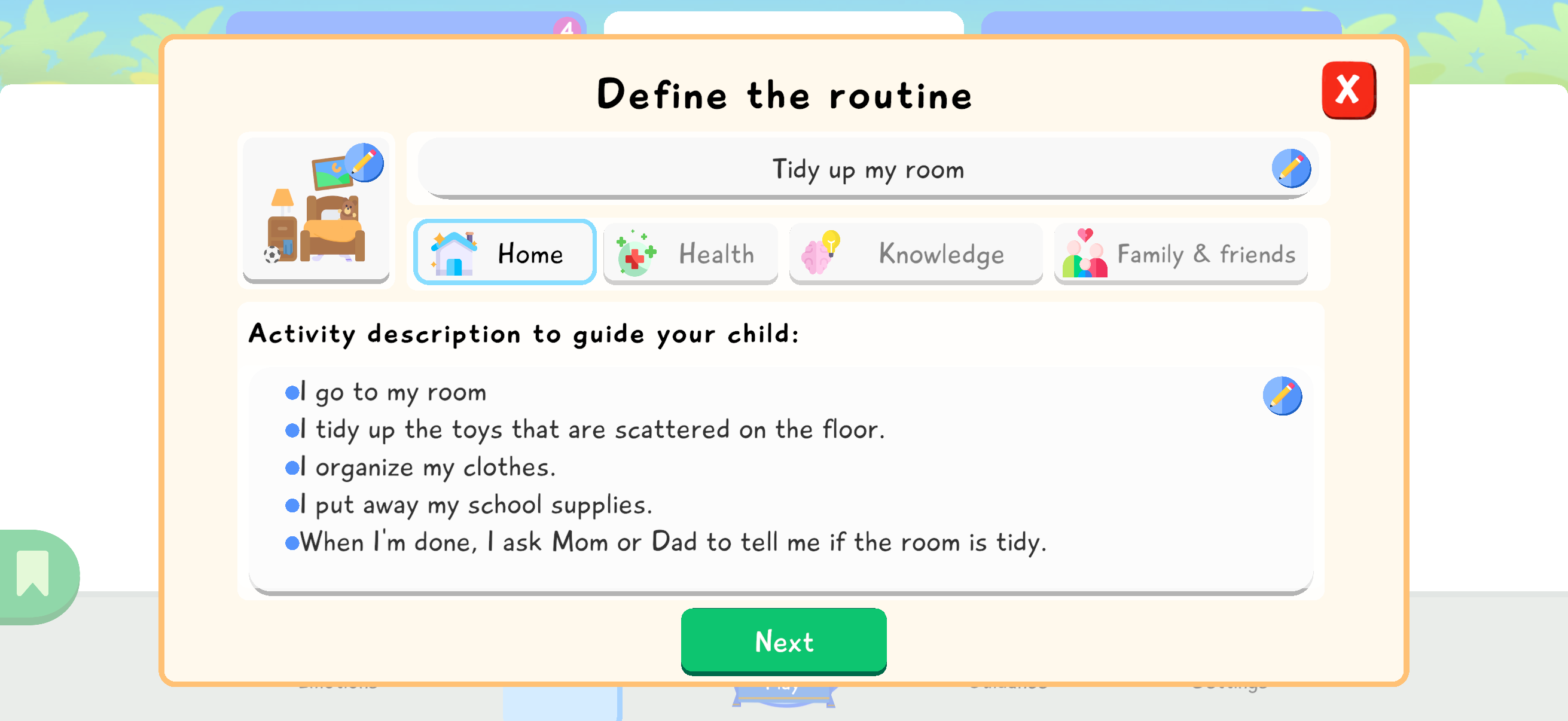
A good routine should stay simple, observable, and realistic. For example, “tidy up my room” becomes easier to understand when the child sees the expected steps: go to my room, tidy the toys, organize my clothes, put away my school supplies, then ask a parent to check.
Lusha does not replace family or professional support. The app mainly helps make the routine visible, repeatable, and motivating.
Open the routines agenda
Section titled “Open the routines agenda”From the Routines tab, press Create a new routine. The agenda shows the routines already planned for the day and lets you add a new action.
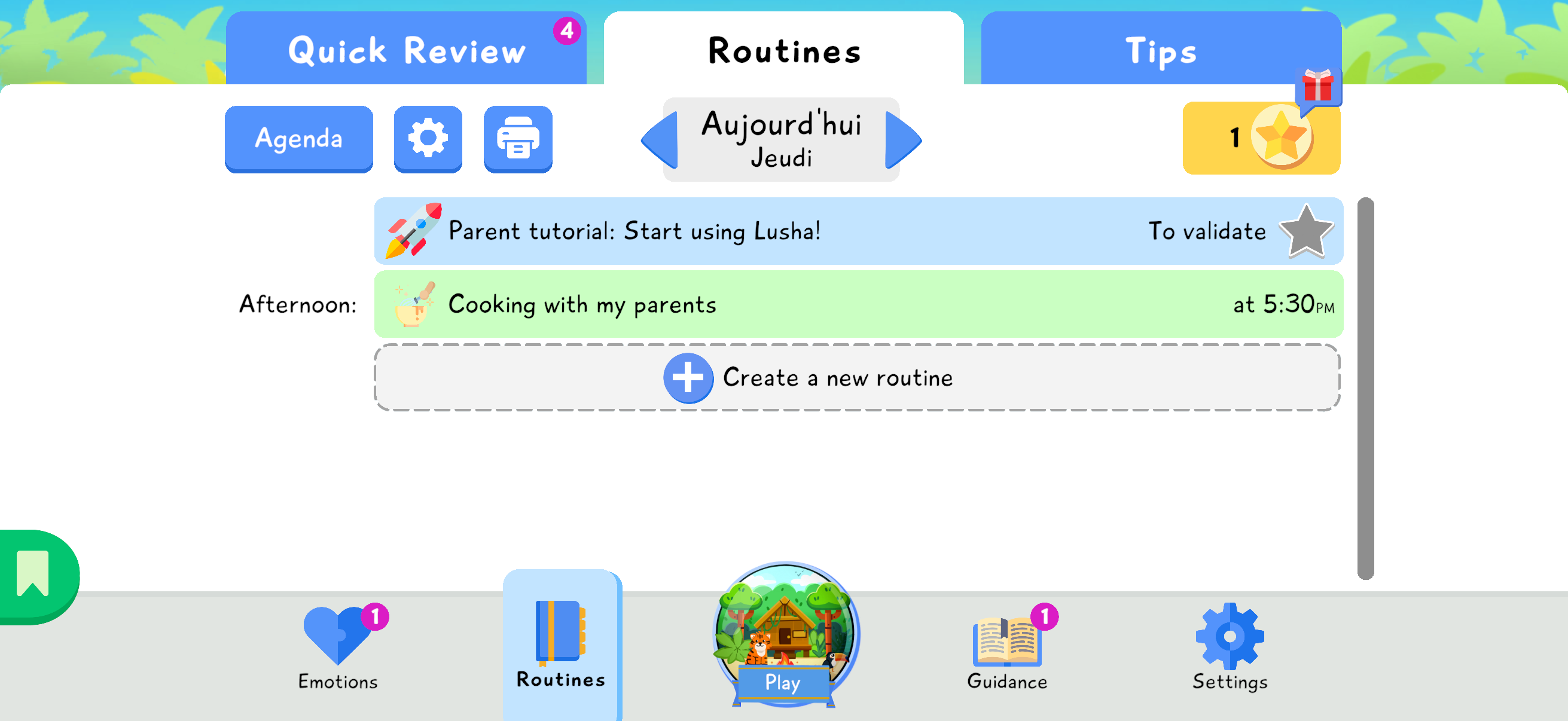
Choose a category
Section titled “Choose a category”Lusha offers several categories: custom routine, home, health, knowledge, family and friends, or saved routines. Choose the category that best matches the real-life action you want to work on.
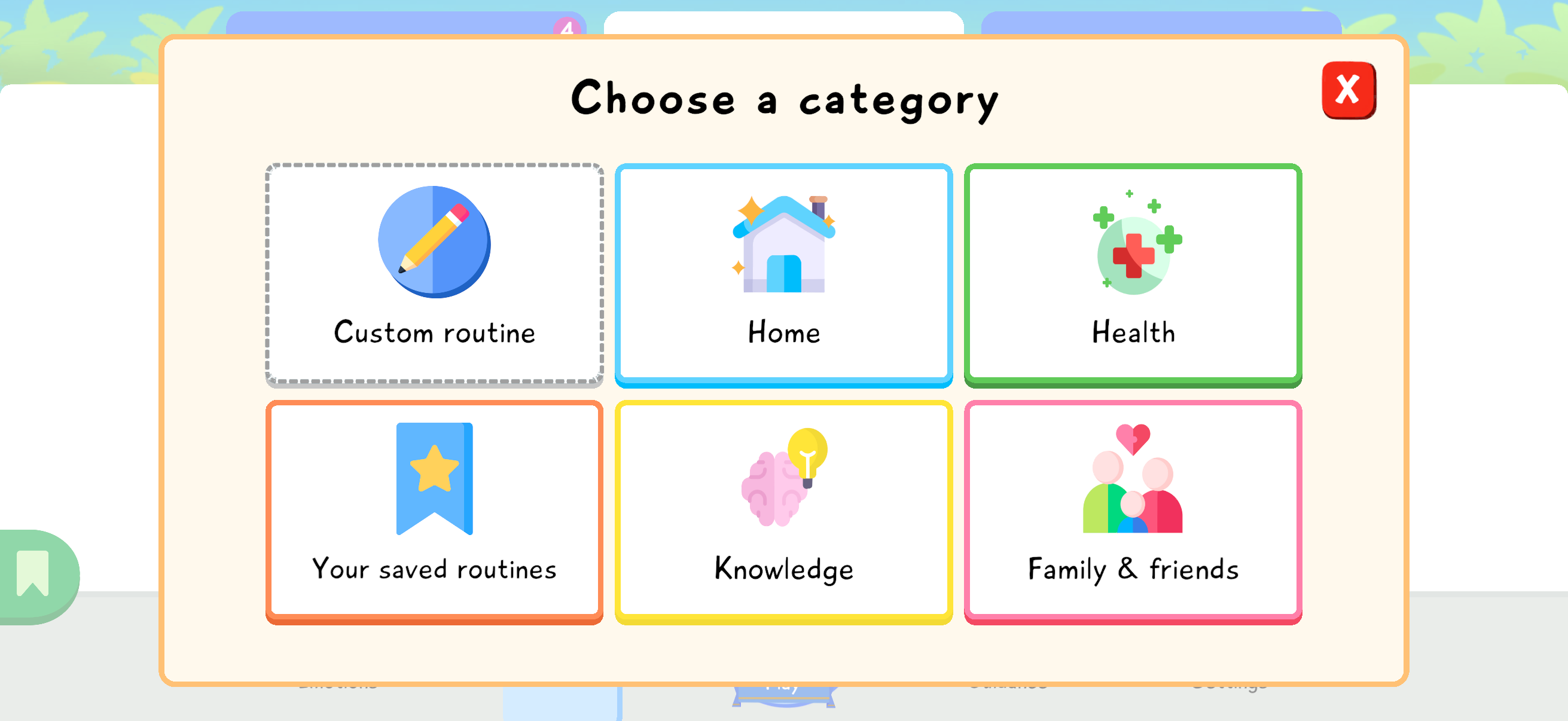
Pick a routine
Section titled “Pick a routine”After choosing a category, select a routine from the list. In the example, the parent chooses Tidy up my room. Preset routines give you a starting point that can be adjusted later.
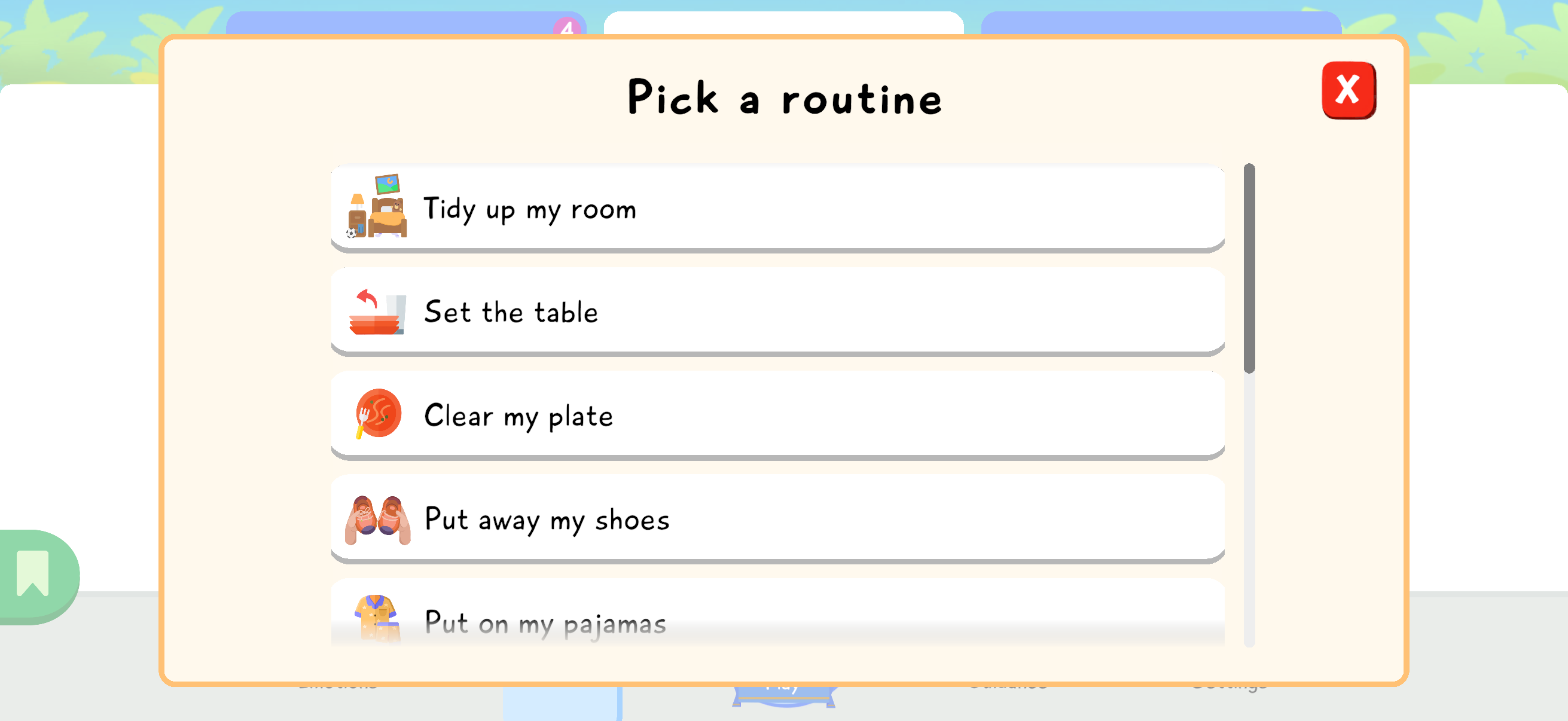
Define the routine with clear steps
Section titled “Define the routine with clear steps”The definition screen shows the name, category, and activity description to guide the child. Read the steps and adapt them if they do not match your home, the child’s age, or their current level of autonomy.
Configure duration, frequency, and rewards
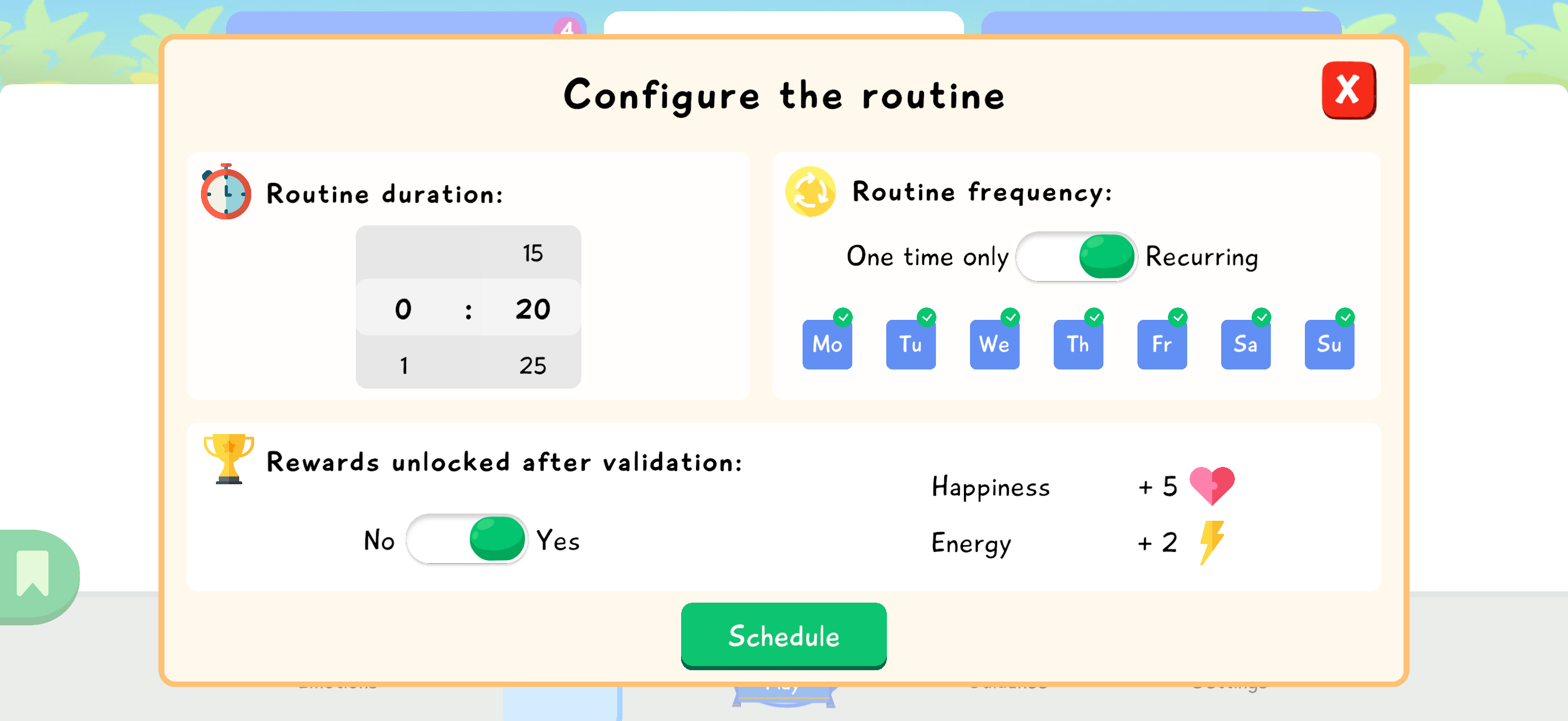
Section titled “Configure duration, frequency, and rewards”Choose a realistic duration. A routine that is too long may discourage the child; a short repeated routine is often easier to establish. Then choose whether the routine is one-time or recurring, and select the days.
Rewards can be unlocked after validation. They should reinforce the effort without becoming pressure. In Lusha, parent validation confirms that the real-life action was completed before the game rewards are unlocked.
Place the routine in the agenda
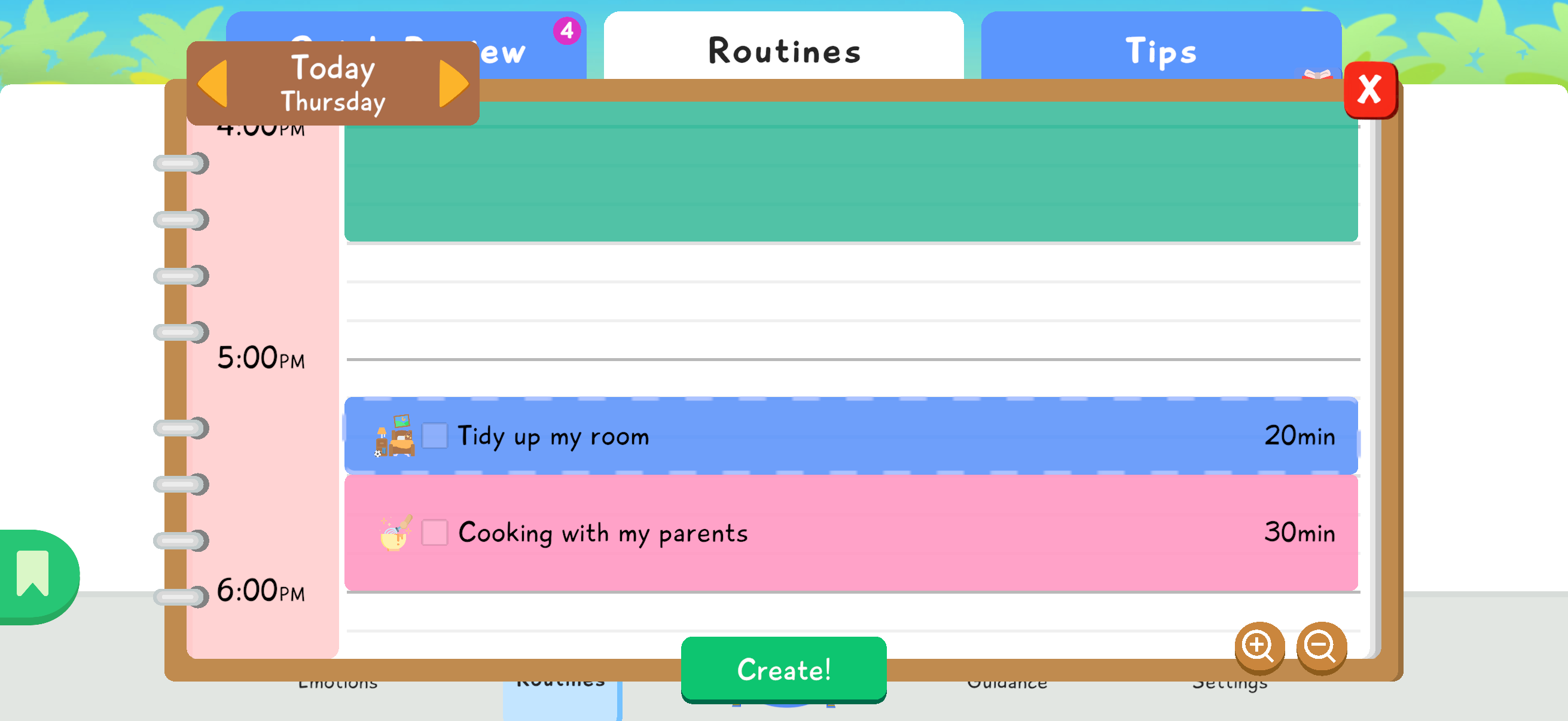
Section titled “Place the routine in the agenda”On the scheduling screen, place the routine at the right moment of the day. The goal is to choose a time that fits family life: after school, before dinner, before bedtime, or another stable moment.
When everything is ready, press Create! to add the routine to the agenda.
Validate the routine once it is done
Section titled “Validate the routine once it is done”A routine is truly useful only when it is validated after the child completes it in real life. This step is essential: it closes the positive reinforcement loop between the child’s effort, the parent’s recognition, and the rewards in the game.
When a past routine appears with the To validate status and a grey star, the parent can validate it. They can click the routine to open its detail screen, or tap the grey star directly if they do not need to reread the steps.
 grey star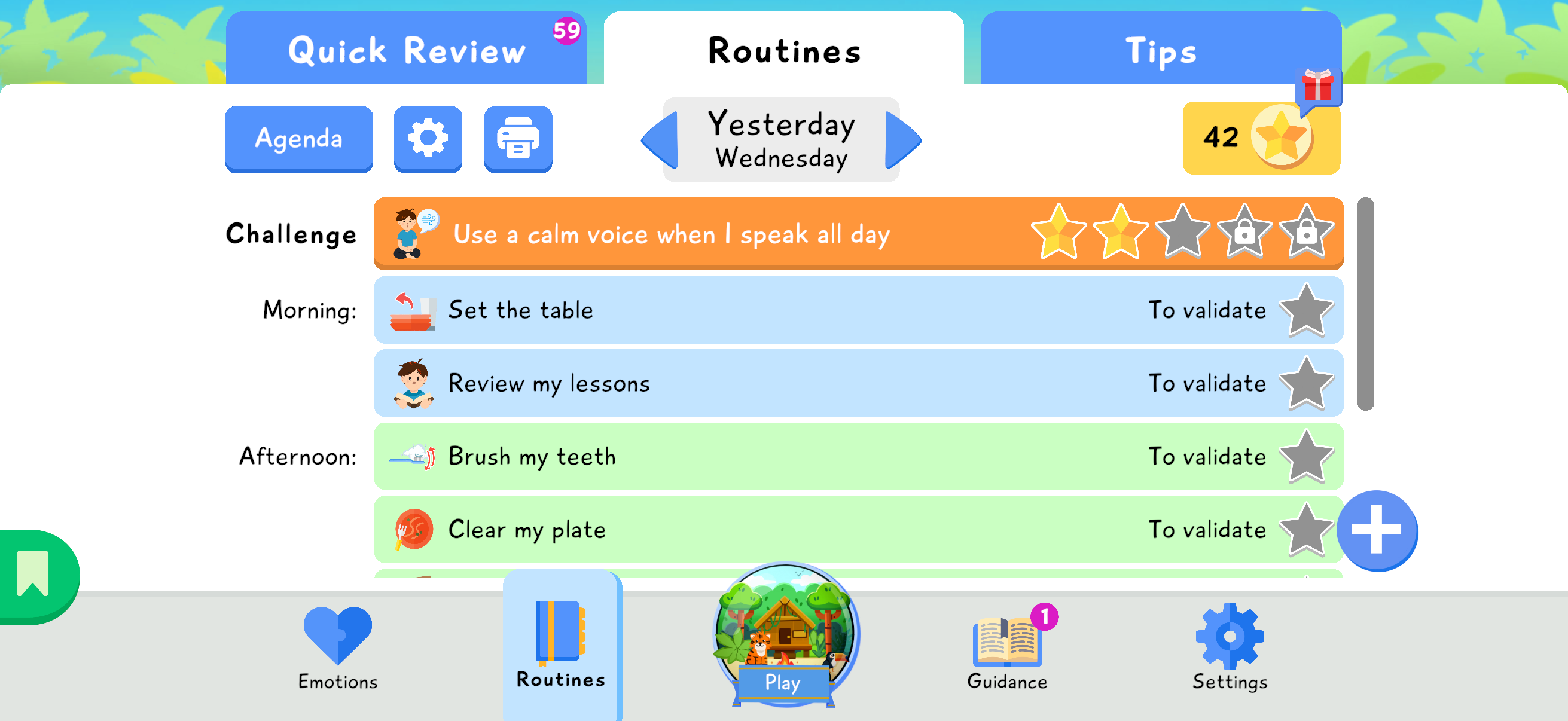
On the routine detail screen, the parent can reread the activity, check that the routine was completed, then press Validate.
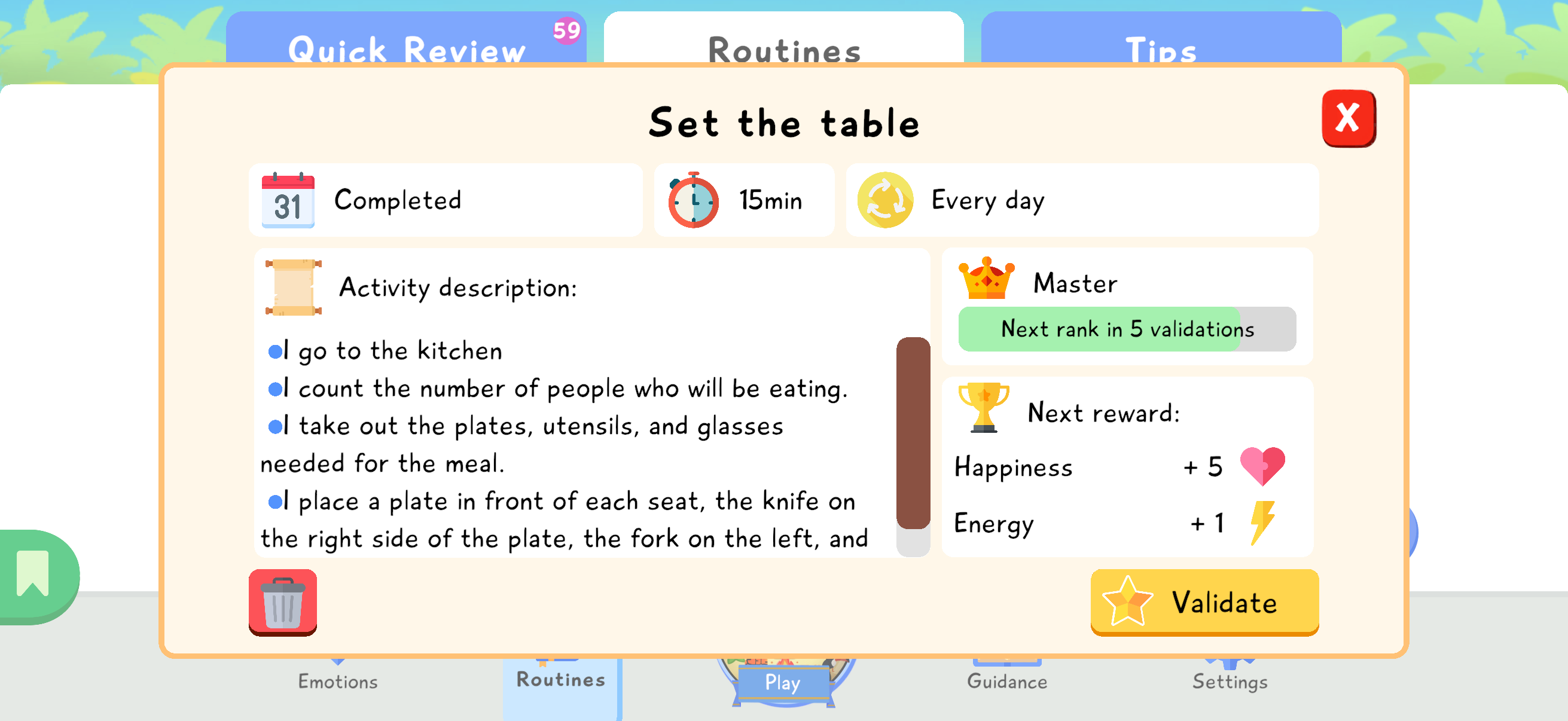
Depending on the autonomy settings chosen by the parent, Lusha may ask for the parent code during validation. This code prevents an adult-only action from being completed by the child. In a more autonomous mode, the parent can also allow the child to validate some routines or challenges independently.
After validation, a yellow star appears next to the validated routine and the child receives access to the planned in-game rewards. For freemium users, validating a routine can consume one available star.
 yellow star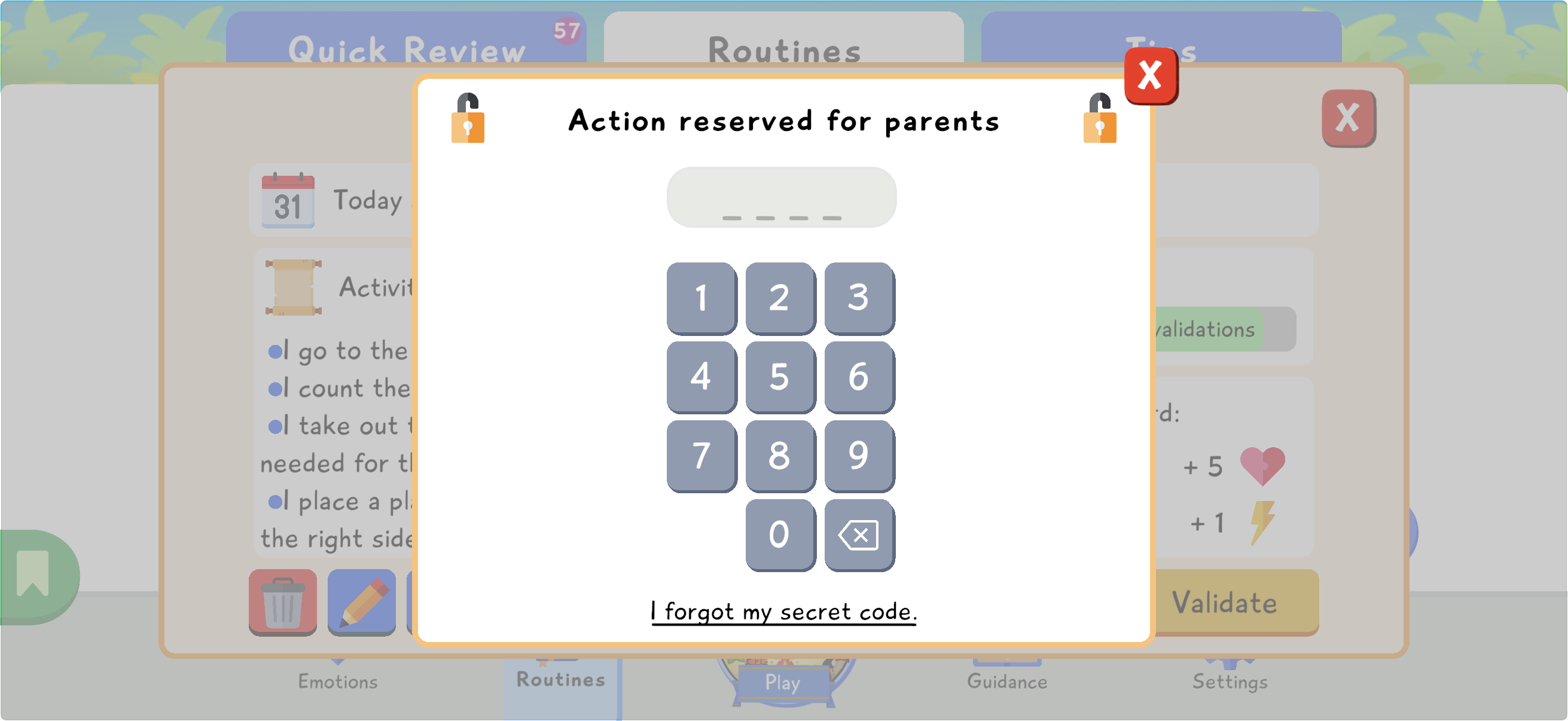
Collecting rewards on the child side
Section titled “Collecting rewards on the child side”Once the routine has been validated, the child can collect their rewards from the game space, for example from the camp. The star-shaped button in the top-right corner of the screen opens the available rewards panel.
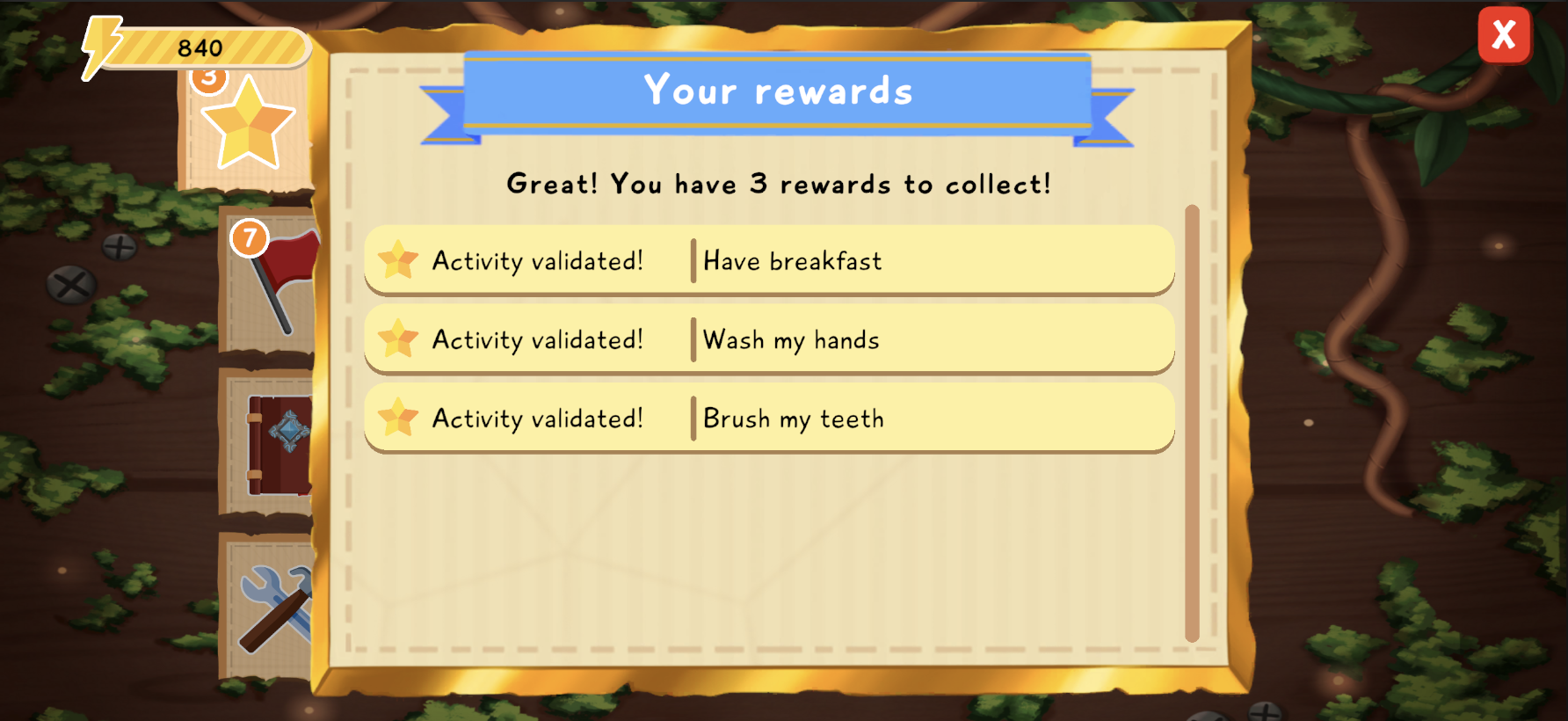
The rewards panel lists the rewards unlocked by validated routines. When the child taps one of these rewards, they can see its detailed contents before collecting the planned resources.
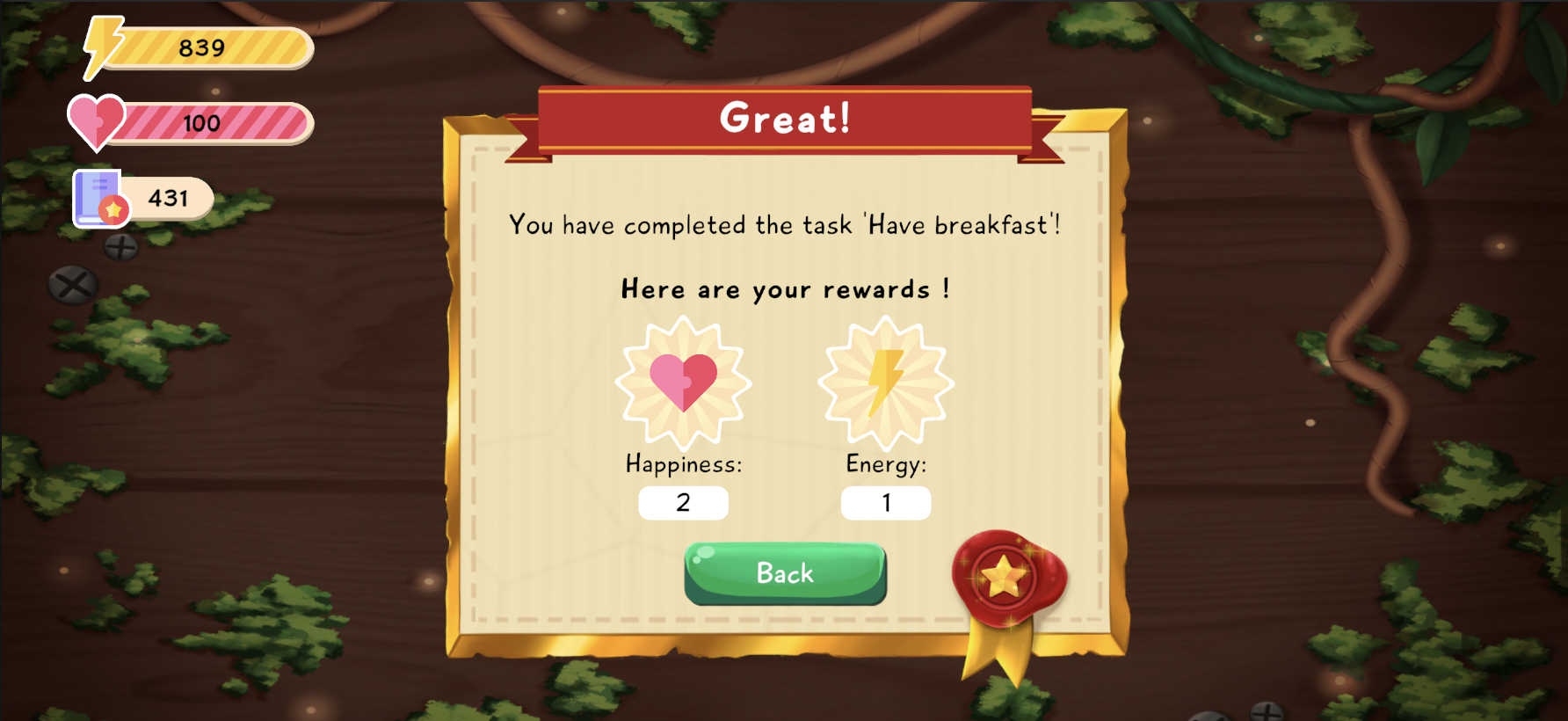
Collected rewards reinforce the link between the real-life action, parent validation, and progress in Lusha.
Behavioral challenges
Section titled “Behavioral challenges”Behavioral challenges help the child generalize, meaning put into practice in everyday life what they learn in Tara’s School. They target concrete behavior changes, such as not interrupting, using a calm voice when speaking, or applying a strategy practiced in a module.
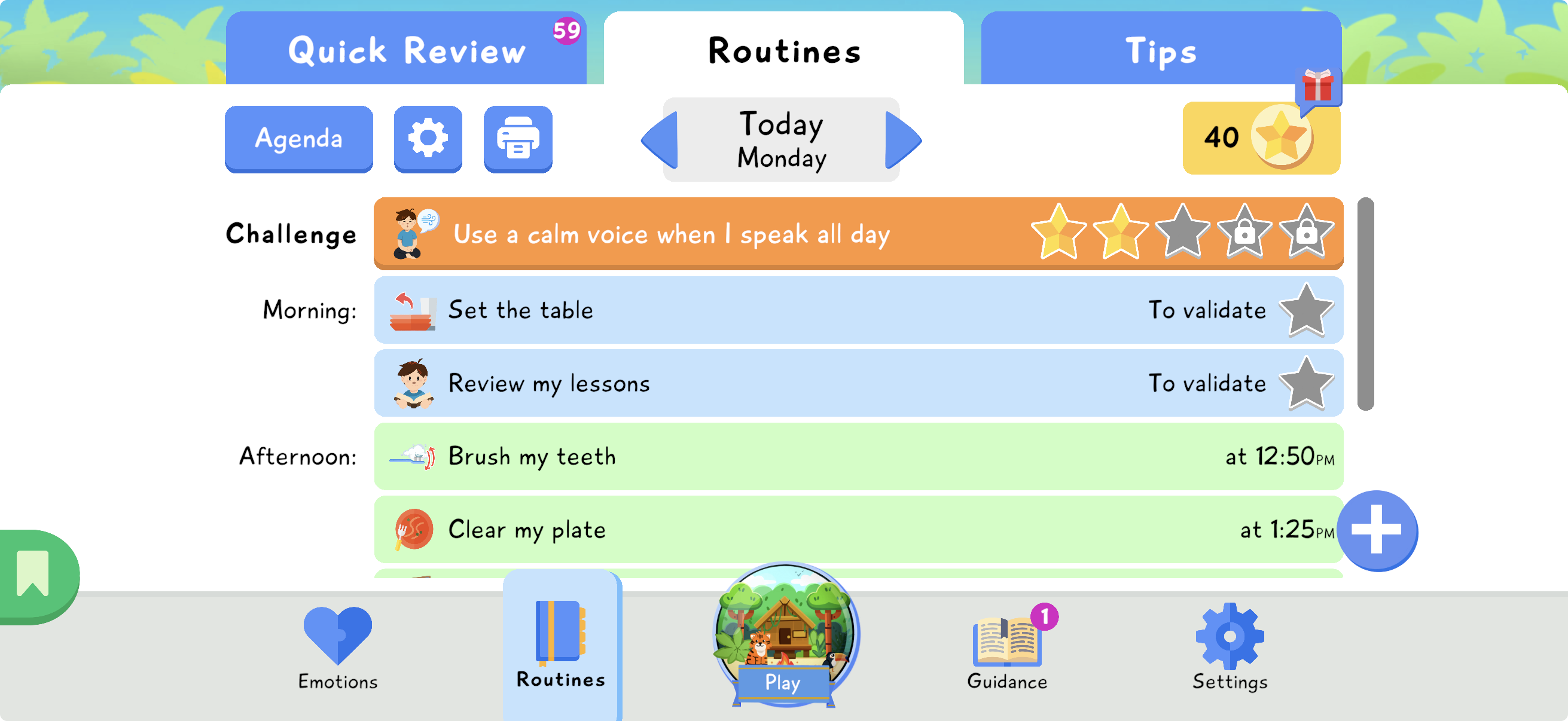
A challenge is always validated over a 5-day series. The parent can validate it only once per day. Each validation uses one star, for a total of 5 stars over 5 different days. If a day is missed or the behavior was not respected, the child has no penalty: they simply do not progress in the challenge that day.
Once the challenge is completed, the child unlocks the related rewards. To keep the goal clear and avoid multiplying expectations, only one behavioral challenge can be active at a time.
Child-side agenda
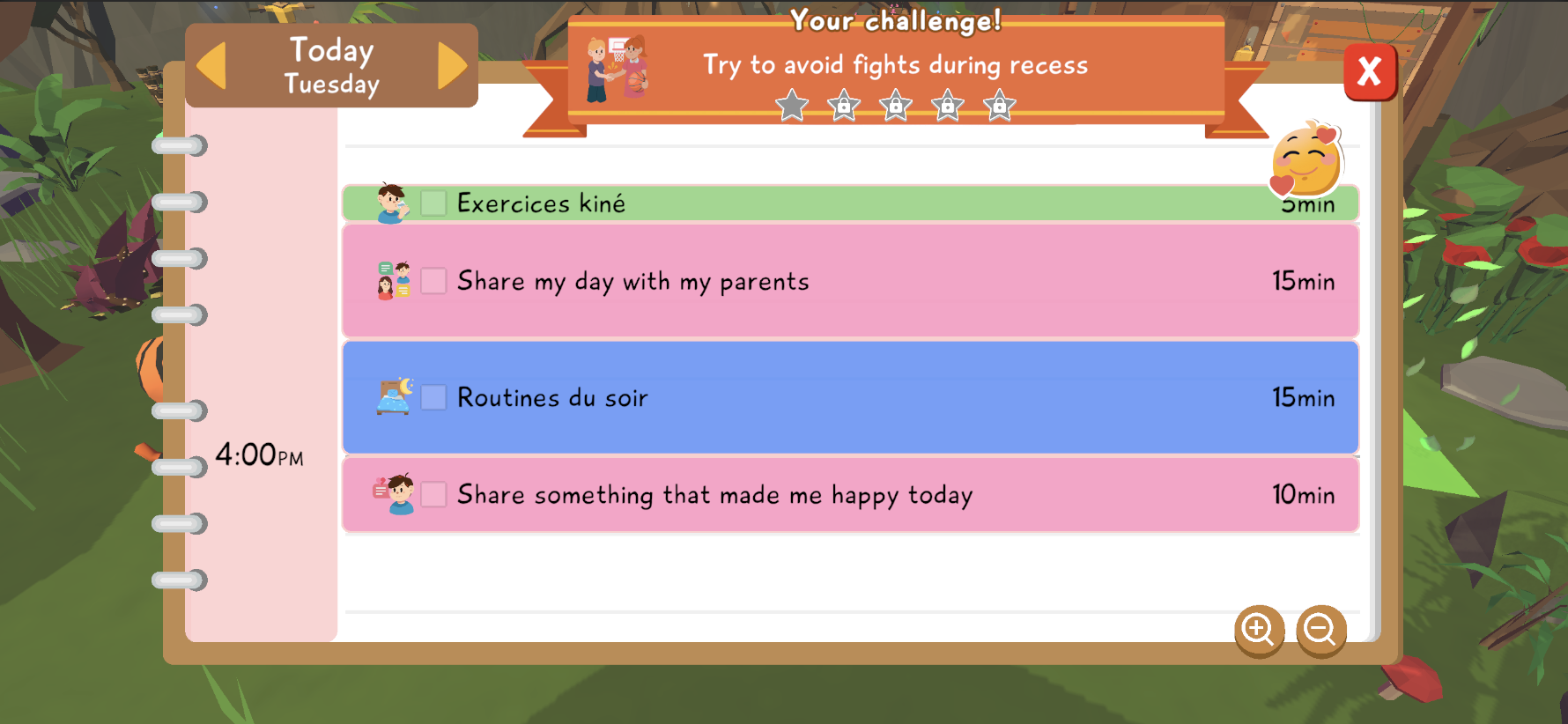
Section titled “Child-side agenda”The child can view their routines in the in-game agenda, especially from the camp, the cabin, or Tara’s School. This agenda helps them see what is planned during the day and better understand the link between real-life actions and progress in Lusha.
Depending on the autonomy level chosen by the parent, the child may also be allowed to add, edit, or validate some routines and challenges. These options depend on the app’s autonomy settings.
The agenda can be zoomed in or out to show the day with more or less detail. It can also include important landmarks such as wake-up time, bedtime, and school hours.
The child can also associate a sticker with each day to represent their mood. New stickers can be unlocked as the child progresses with Tara, connecting the agenda with the game’s emotional learning.
Transitions Between Game and Routines
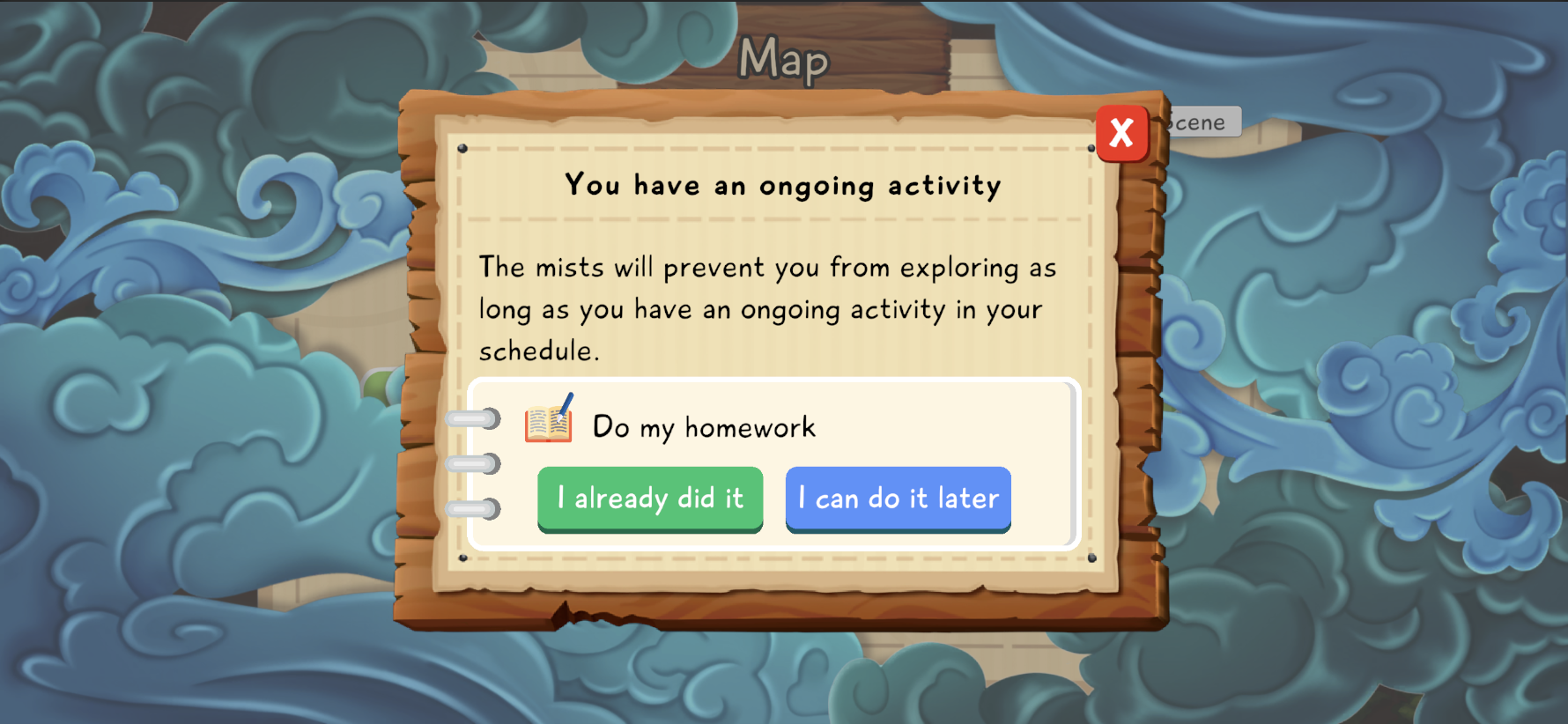
Section titled “Transitions Between Game and Routines”When a routine is about to start, Lusha displays an in-game message to warn the child. If the child is exploring, mists appear gradually to announce that the session will soon end.
When the routine starts, the child is sent back to the camp. While the routine is in progress, they cannot leave the camp to explore unless the parent allows an exception with the parent code.
This mist system helps make the transition more gradual. The child is not abruptly cut off from the activity: the game signals that it is almost time to move to the routine, then limits exploration once the routine has started.
Good practices
Section titled “Good practices”- Start with only one or two routines.
- Choose observable actions, such as “put on pajamas” rather than “behave well”.
- Keep the duration short at first, then adjust after a few days.
- Validate the routine quickly once it is done to keep the link between real-life action, parent encouragement, and reward.
- If the routine creates too much tension, simplify the steps before increasing the difficulty.